
 Chat
Chat Discord

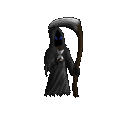



For resizing, GIMP offers various methods. There should be a drop-down menu with entries such as interpolation, cubic, linear, none and possibly others. I don't know how much of a difference those make or which the default one is, but it could be worth a check. Generally "none" is sharp and "cubic/interpolation" is smooth/blurred I believe. If it's already set on the later, then you most likely can't improve anything about the resizing.
I know I'm not the one to give spriting advices, but I usually use at least two types/sizes of brushes, depending on how smooth or detailed a part is supposed to be.
Other than that, perhaps posting the sprite at full resolution could be a good idea.
If all else fails, you could search for custom brushes. Apparently you also can convert photoshop brushes to GIMP-brushes in some way.
I know I'm not the one to give spriting advices, but I usually use at least two types/sizes of brushes, depending on how smooth or detailed a part is supposed to be.
Other than that, perhaps posting the sprite at full resolution could be a good idea.
If all else fails, you could search for custom brushes. Apparently you also can convert photoshop brushes to GIMP-brushes in some way.