
 Chat
Chat Discord



Because we don't ALL have the time or an existing project that needs custom sprites(and even then drawing the body parts to piece them together is time-consuming) to really fully test this and most of the activity nowadays is in the Discord, and I did share it there to get the people who might have those to try it.
I will just say this since you demand feedback and I decided to open it to just give it one quick go:
1) You have all those features, but you don't allow people to drag images around or(nvm, found out its right click) their frame camera view around(only zoom in/out). Am I missing something in the controls? Because that's a very huge turnoff.
2) You can't directly type the position coordinates from scratch, you have to edit the existing numbers the program listed for you. The fullstop key turns into a degree sign apparently. I also notice you have to mouse over to the right side of the screen first or the text you're trying to type/select would be rendered null; not necessarily a bad thing.
3) Noticed that deleting the resource doesn't also delete the object, but doesn't seem to have the ability to edit the now image-less object. There's also no ability to use the "delete" key on your keyboard as a shortcut.
4) Apparently there's bring to front and send to back, but there's no intermediate option?
5) The spritesheet template feature is good. Black->transparent feature is good.
6) Apparently I can't save, but I couldn't replicate this error after I closed and tried again:
https://cdn.discordapp.com/attachments/3...nknown.png
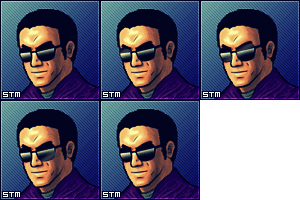
EDIT: found out its due to STM_pic.png, which is the pic with a blue background. Can't be an issue with bmp/png or filename or folder location. Has to be something else. Its a 23kb png with 458x148 dimensions, and I've added far larger images that also stretch outside the template area with no issues.
I will just say this since you demand feedback and I decided to open it to just give it one quick go:
1) You have all those features, but you don't allow people to drag images around or(nvm, found out its right click) their frame camera view around(only zoom in/out). Am I missing something in the controls? Because that's a very huge turnoff.
2) You can't directly type the position coordinates from scratch, you have to edit the existing numbers the program listed for you. The fullstop key turns into a degree sign apparently. I also notice you have to mouse over to the right side of the screen first or the text you're trying to type/select would be rendered null; not necessarily a bad thing.
3) Noticed that deleting the resource doesn't also delete the object, but doesn't seem to have the ability to edit the now image-less object. There's also no ability to use the "delete" key on your keyboard as a shortcut.
4) Apparently there's bring to front and send to back, but there's no intermediate option?
5) The spritesheet template feature is good. Black->transparent feature is good.
6) Apparently I can't save, but I couldn't replicate this error after I closed and tried again:
https://cdn.discordapp.com/attachments/3...nknown.png
EDIT: found out its due to STM_pic.png, which is the pic with a blue background. Can't be an issue with bmp/png or filename or folder location. Has to be something else. Its a 23kb png with 458x148 dimensions, and I've added far larger images that also stretch outside the template area with no issues.
![[Image: uMSShyX.png]](http://i.imgur.com/uMSShyX.png)
~Spy_The_Man1993~
Steiner v3.00 (outdated), Challenge Stage v1.51
Luigi's Easier Data-Editor, A-Man's Sprite Mirrorer
LF2 Rebalance
Avatar styled by: prince_freeza